
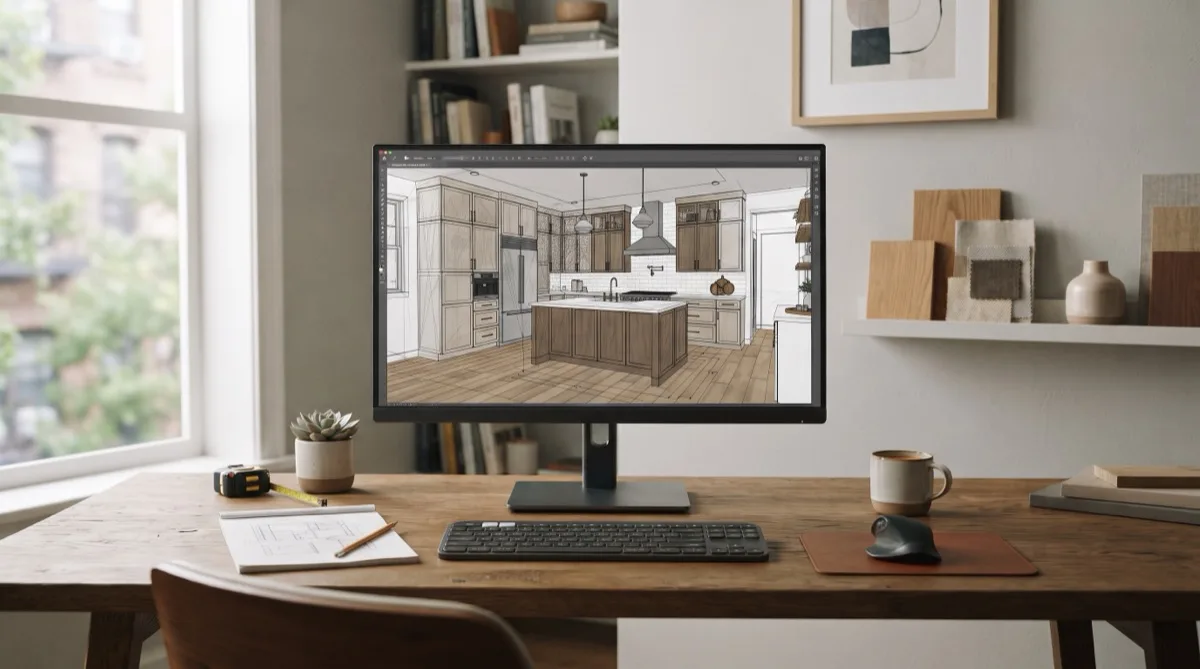
Cabinet design software is the only category in the cabinet trade with real tool-visible search demand. A live DataForSEO Labs pull found roughly 11,500 searches per month across ~28 distinct owner intents, with “cabinet design software” at 1,900/month, “free cabinet design software” at 880/month, and brand terms like Mozaik (720), Cabinet Vision (590), and 2020 Design (480) carrying measurable volume (CabinetBoost first-party DataForSEO Labs pull, 2026-07-06). Most of those searchers are not homeowners. They are shop owners, showroom managers, and estimators trying to pick a tool that actually fits how they build and sell.
This guide compares the tools that matter for professional cabinet work: 2020 Design / Design Flex, Cabinet Vision, Mozaik, SketchUp, and ProKitchen. The pricing and feature notes come from vendor or authorized-reseller pages fetched in July 2026. Nothing is invented.
If you are trying to turn design output into leads — renderings on your site, GBP posts, or paid ads — our SEO services for cabinet businesses can help you turn those visuals into traffic. If you already know you need CNC output, our deeper Cabinet Vision vs Mozaik breakdown compares the two manufacturing-first platforms head-to-head.
How to Pick the Right Category First
Before comparing brands, match the tool category to your business model:
- Design-to-manufacture platforms (Cabinet Vision, Mozaik): you design, price, cutlist, and output G-code in one system. Built for shops that build what they draw.
- Showroom/catalog design tools (2020 Design / Design Flex, ProKitchen): you specify real manufacturer catalogs, produce renderings, and hand off orders. Built for dealers and showrooms.
- General 3D modeling (SketchUp): you model anything, but you add extensions and separate workflows for pricing and production. Built for custom designers and architects.
Pick the wrong category and you will fight the software every day. A CNC shop using SketchUp without extensions will manually rebuild every cutlist. A showroom using Mozaik will miss the manufacturer catalogs their clients expect.
Software Comparison at a Glance
| Tool | Category | Starting price | Best-fit shop size | Core strength | Biggest gap |
|---|---|---|---|---|---|
| Mozaik Manufacturing | Design-to-manufacture | $125/mo | 1–5 person non-CNC shop | Fast setup, design to cutlist | No built-in CNC G-code |
| Mozaik CNC | Design-to-manufacture | $225/mo | 3–15 person CNC shop | Machine-ready G-code + nesting | Windows-only |
| Cabinet Vision Design/Cabinets | Design-to-manufacture | $249 CAD/mo (~$180 USD) | Mid-size shops with rendering needs | Strong visualization + quoting | Higher entry price, steeper setup |
| Cabinet Vision Core Cabinets | Design-to-manufacture | $332 CAD/mo (~$240 USD) | Larger CNC shops | Deep customization, construction methods | Longer onboarding |
| Design Flex (2020 Design) | Showroom/catalog | $2,495/yr | Showrooms and dealers | Manufacturer-linked catalogs | Quote-based for multi-seat/enterprise |
| ProKitchen (no catalogs) | Showroom/catalog | $1,795/yr | Small showrooms, independent dealers | Cloud-based, interactive 3D | No manufacturer catalogs |
| ProKitchen (all catalogs) | Showroom/catalog | $2,395/yr | Dealers tied to manufacturer lines | Full catalog library + electronic orders | Annual commitment |
| SketchUp Pro | General 3D modeling | $399/yr | Custom designers, architects | Unlimited flexibility, huge model library | Not cabinet-specific without extensions |
Prices are from vendor or authorized-reseller pages fetched July 2026: Mozaik (Mozaik Software), Cabinet Vision (Planit Canada), Design Flex (Cyncly), ProKitchen (ProKitchen Software pricing), SketchUp Pro (Visualizee pricing roundup).
Which Tool Fits Which Shop Size
| Shop size and model | Recommended tool | Why it fits |
|---|---|---|
| Solo cabinet maker, table-saw shop | Mozaik Manufacturing ($125/mo) | Lowest professional entry point; design, price, and cutlist without CNC complexity. |
| Small CNC shop (1–2 machines, 3–10 people) | Mozaik CNC ($225/mo) | Gets G-code to the machine quickly without the overhead of Cabinet Vision. |
| Mid-size custom shop with complex jobs | Cabinet Vision Core Cabinets (~$332 CAD/mo) | Deep construction-method control and custom catalog assemblies for non-standard work. |
| Kitchen/bath showroom tied to brands | Design Flex ($2,495/yr) or ProKitchen ($2,395/yr) | Catalog-driven design means accurate specs and orders; rendering helps close at the table. |
| Independent designer selling custom visuals | SketchUp Pro ($399/yr) + extensions | Cheapest path to professional 3D; budget extra for rendering and cabinetry extensions. |
2020 Design / Design Flex: The Showroom Standard
2020 Design has been the default in kitchen-and-bath showrooms for decades. Cyncly now brands the cloud-connected version as Design Flex, and the tool’s core value is unchanged: it is built around manufacturer catalogs. A designer specifies real cabinet lines, appliances, and finishes, then produces floor plans, elevations, and photorealistic renderings.
Cyncly’s India product page lists a Design Flex license at $2,495/year (Cyncly). Enterprise and multi-seat pricing is quote-based. The platform is Windows-focused and has a learning curve, but for showrooms that design kitchens all day, catalog accuracy and specification speed are worth it.
Cyncly is also adding AI features under Design Flex and Spaces Flex; the company emphasizes that purpose-built AI should pull from real catalog data rather than generating “products that don’t exist” (KBB). For showrooms, that matters: a rendering of a cabinet you cannot actually order is a sales disaster.
Cabinet Vision: The Manufacturing Powerhouse
Cabinet Vision, owned by Vero Software / Hexagon, is aimed at shops that need deep control over construction methods, custom catalogs, and CNC output. Planit Canada, an authorized reseller, lists Design/Cabinets at $249 CAD/month and Core Cabinets at $332 CAD/month, both with a 12-month minimum (Planit Canada). Fully customized configurations with multipliers like xMachining, xRendering, xOptimizer, and xBidding are quote-based.
Cabinet Vision is not a weekend-setup tool. It rewards shops that standardize their construction methods and have someone dedicated to running the software. For larger or more complex operations, the depth is the point. For a one-person shop, it is often more tool than the business can feed.
Mozaik: The Fastest Path from Design to Cutlist
Mozaik is built by cabinetmakers for cabinetmakers, and the pricing reflects that focus. The homepage lists three tiers:
- Mozaik Manufacturing: $125/month — design, price, plan, cutlists for non-CNC shops.
- Mozaik CNC: $225/month — adds advanced nesting and machine-ready G-code.
- Mozaik Enterprise: $325/month — multi-user, multi-machine control and batching.
The tool runs on Windows and offers a 3-month paid trial. Mozaik’s advantage is speed-to-live: a small shop can be designing and producing cutlists in days rather than weeks. The trade-off is less configurability than Cabinet Vision for highly custom construction methods.
SketchUp Pro: The Flexible Custom Designer’s Choice
SketchUp Pro is not cabinet software. It is a professional 3D modeler that many cabinet designers use because it is fast, visual, and extensible. Third-party pricing roundups consistently list SketchUp Pro at $399/year on annual billing (Visualizee). The paid tiers include desktop SketchUp, LayOut for 2D documentation, and access to the Extension Warehouse.
For cabinet work, SketchUp is usually part of a stack: the base subscription plus extensions for cutlists, rendering, and parametric modeling. That stack can work beautifully for one-off custom pieces or designers who sell visuals, but it is not a production system out of the box. If your shop needs G-code and nesting, look at Mozaik or Cabinet Vision instead.
ProKitchen: Cloud-First Showroom Tool
ProKitchen is a cloud-based design platform built for kitchen and bath showrooms. Its pricing page lists two annual tiers:
- No Manufacturer Catalogs: $1,795/year — full ProKitchen Online plus generic catalogs.
- All Manufacturer Catalogs: $2,395/year — adds all manufacturer catalogs, electronic orders, and dynamic catalog updates.
The cloud model means designers can work from anywhere and catalogs update in the background. For independent dealers who do not need the full 2020 ecosystem, ProKitchen is a lighter, more mobile alternative.
AI Newcomers: Watch, But Don’t Bet the Shop Yet
A wave of AI design tools is entering the kitchen-and-bath space. Cyncly is embedding AI into Design Flex and Spaces Flex, Houzz Pro offers AI estimating and takeoff features (Houzz Pro AI), and AI rendering startups promise same-day visuals. Most are useful for inspiration and early concepts, but the same caution applies across the board: generic AI can render “products that don’t exist” or layouts that are physically impossible to build (KBB).
For now, treat AI tools as accelerators inside a system you already trust, not as replacements for catalog-driven design or CNC-verified output.
Who This Comparison Is NOT For
This comparison is not for homeowners looking for a free kitchen planner. Tools like IKEA Kitchen Planner, Planner 5D, or Homestyler are built for DIY layout, not for shops that need pricing, cutlists, or CNC output. If you are a homeowner, those free tools are the right place to start.
Want Your Cabinet Business to Rank for Software Buyers?
The shops winning this search category are not just using the right software — they are turning renderings, comparisons, and project pages into owned traffic. If you want help making your cabinet or kitchen-and-bath website the one buyers find, book a strategy call and we will map the content and SEO plan to your market.
Dig deeper: